
SIGN – Ship Information Graphical Navigator

Navigate your information fast and easily.
What is SIGN?
SIGN is a graphical front-end application used to locate Assets and Locations graphically by navigating the vessels’ GA maps. Locations containing Assets are marked as hyperlinks allowing users to navigate Documentation (e.g., SPs., Manuals, Drawings), Locations, Assets, Maintenance, Spares, Attachments, Purchase Orders, and more.
What is the goal of SIGN?
The goal of SIGN is to make it easy and efficient for teams to locate and access information about assets anywhere on the ship.

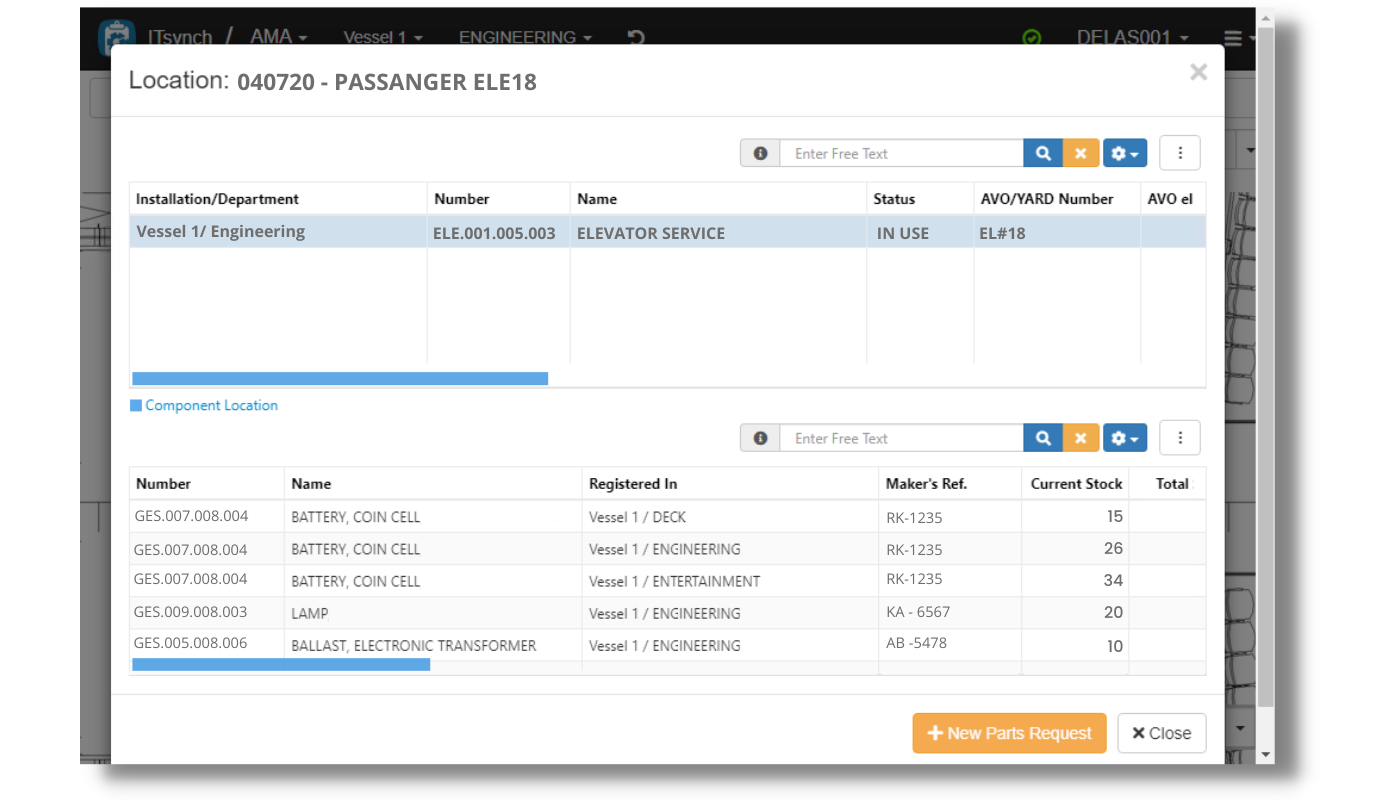


Manage assets with precision.
Keep asset data organized
Create and assign labels for assets across the ship using any mobile device and keep data organized in one place.
Easily visualize ship’s assets and locations information
Get accurate information about assets in their locations.
Empower teams to find what they need
Find equipment in seconds with a user-friendly interface.
Explore the features that help you save time and improve efficiency.
Advanced Search
Easily find needed information with the use of powerful filters.

Detailed Data
Easily access all information about your Assets and Maintenance System, including components, locations, spare parts, design documentation, manuals, pictures, pending purchase orders, and more.

Report WO
Report and view work orders related to a specific asset or component using the GA. You can automatically save all the information you enter in AMOS.


