Technology

ITsynch Suite 3.0
Cloud Based
We are building the next-generation suite of software applications, incorporating all the invaluable feedback from our clients throughout the years, embracing the latest cloud technologies and practices to digitally transform hotel and technical operations in the cruise industry. We called it ITsynch Suite 3.0.
Applications
Layer 3
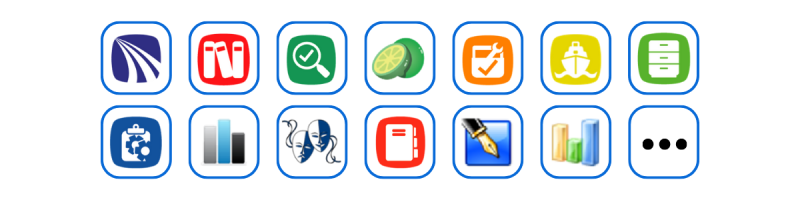
Functional Features
Layer 2
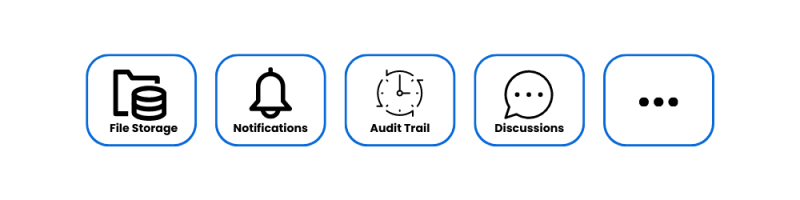
Technical Features
Layer 1

Comprehensive features implemented with the latest technologies.
Integrated Suite
The suite's applications are integrated and share the same "core features," such as authentication (SSO), authorization, emailing, reporting, and more provided by the ecosystem and configured centrally in the cloud.

Microservices Based
The suite is organized around reusable business and technical features through sliced microservices which together build an ecosystem of applications. Teams can quickly develop new features and modules by leveraging the existing Services Foundation.
Cloud Based
Supporting public cloud onshore and private cloud onboard, deployment through containers is simplified, efficient, scalable, reliable, and fault tolerant. Reduced time-to-market and time-to-customer.

Messages Architecture Based
Event-driven messaging enables real-time communication and data replication between applications, onboard and onshore.

Web Based
Applications are three tiers of responsive Progressive Web Applications. Reduced workforce needed to develop and maintain.
Mobile Enabled
Applications can be used in the field from any device with a modern web browser, such as desktop computers, tablets, and cell phones. Support online and offline operation when Wi-Fi is disconnected.
Legacy Migration Enabled
Enables a smooth transition from Legacy systems by allowing parallel changeover.

Centralized Management
Administrators can efficiently configure and manage application parameters and global data using the central administration available shoreside.
Standard GUI
Applications share a user-friendly, uniform look, feel, and behavior. Easy-to-use features are implemented through powerful and intuitive Graphical User Interface controls.
Third-Party Integrations Ready
The suite integrates seamlessly with popular maritime third-party protocols and applications, such as Microsoft Active Directory, OpenId Connect, AMOS M&P, and Oracle's Fidelio. The integrations are highly customizable, including multiple integrations at the same time. Users can configure the applications to ingest data from third-party systems.
Ship-Shore Collaboration
Onshore, clients can choose to deploy the solution on their cloud-based infrastructure, or an Azure cloud-based instance can be provided by ITsynch using a Product as a Service scheme, where ITsynch takes care of the deployment and availability of the system. Onboard, each vessel has a local instance of the ITsynch applications deployed on the client's on-premises private cloud.
Features-Rich
Workflow automation through Business Rules. Audit Trailing for Traceability and Accountability. Supports all necessary cruise concepts like Positions, Departments, Sections, Classes, and more. Different departments (e.g., Hotel and Technical) can efficiently use the suite without interference (i.e., share key common data but hide non-applicable data). Parametrization and Securitization at different levels (i.e., Global, Class, Ship, Department, Group, and User). Comprehensive reporting, manual or automatic, through scheduling. Powerful Dashboard with Drill Down and more.
Shared Services
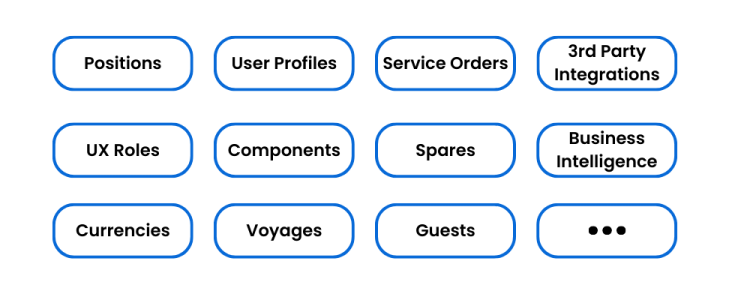
Core Services

Suite Framework

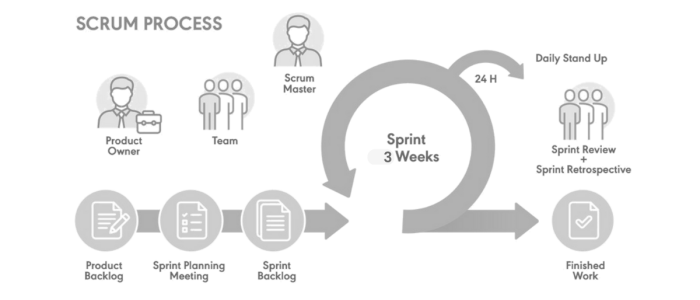
Our Development team is organized in Squads following agile project management using a scaled scrum framework and synced sprints.
Each squad focuses on a particular application or service.
The backlog for the entire Suite is managed centrally, which allows us to plan the development process for all applications as a single product. This ensures our apps integrate among them seamlessly and deliver consistent functionalities.
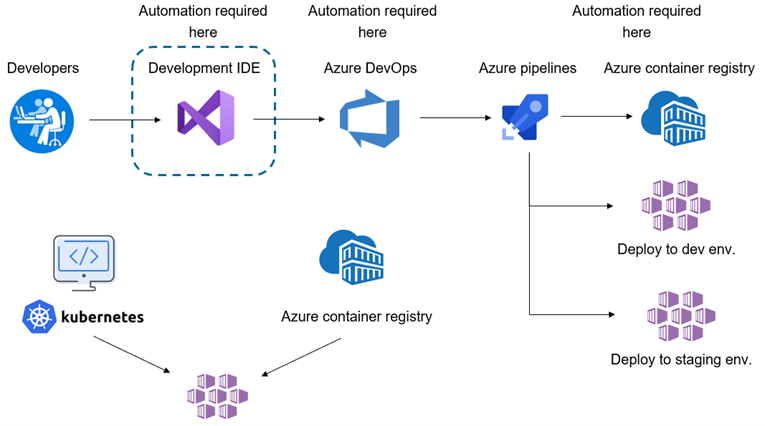
Source code is stored hosted in Azure DevOps. CI policies are in-place for automated unit and integration testing and other checks.
The administration portal is deployed using Continuous Delivery. Features and bugfixes can be delivered with any desired frequency.
We use the right collaboration tools.

Chats and meetings
Channels to segregate audience
Office 365 integration
Office 365 apps (web and desktop)
Backlog management
Project management
Portfolio management
We use the latest frontend development technology stack.
Developmet Tools


Unit Test

UI Development & Documentation

Build Tools

We work with the latest backend development technology stack.
Development Tools





Persistence


Unit and Integartion Test


We use the right Build & Deploy technologies.
Build Tools


Source Control

Deployment



How we implement automation.